
Supporters make Speaker Box Lite better every day. By connecting your Patreon account, you’ll instantly receive access to exclusive PRO features and help continue the project’s development.
1. Create an Account in Speaker Box Lite
At the first step, you should create an account in the Speaker Box Lite service if you don’t have one yet. This account will be used to store your projects and PRO access.
2. Open Profile Settings
Navigate to your Profile page and select the Settings tab using the following link:
https://speakerboxlite.com/profile?tab=settings.
3. Connect Patreon Account
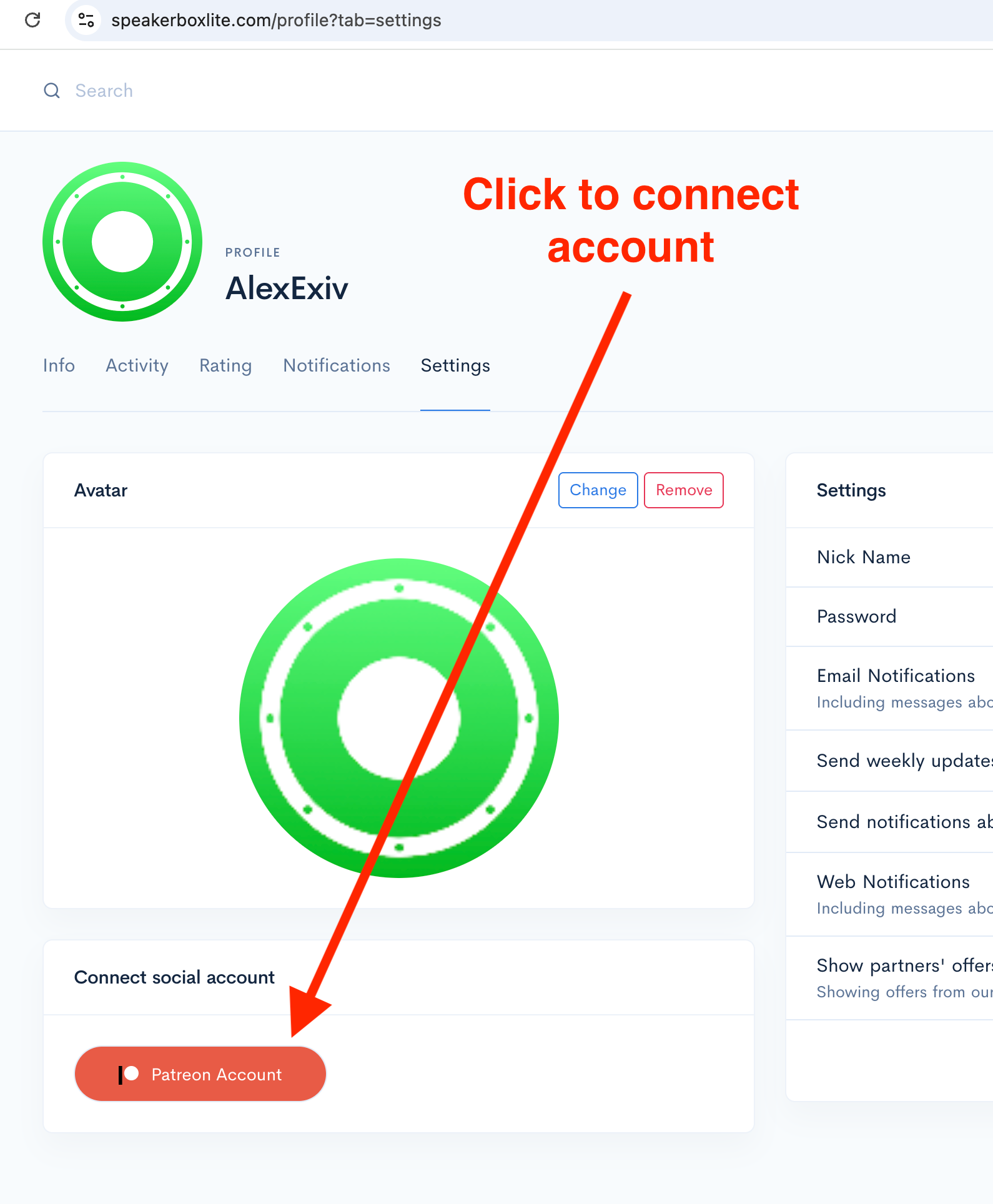
In the Connect Social Account section, click on the Patreon Account button, as shown in the first screenshot.
4. Authorize on Patreon
You will be redirected to the Patreon website. If you’re not signed in, it may prompt you to log in to your account.
⚠️ Important note: you should use the same Patreon account where you are a patron of Speaker Box Lite — otherwise, PRO features will not be available.
If you connected the wrong account by mistake, please write to the support email to reset the connection.
5. Grant Access
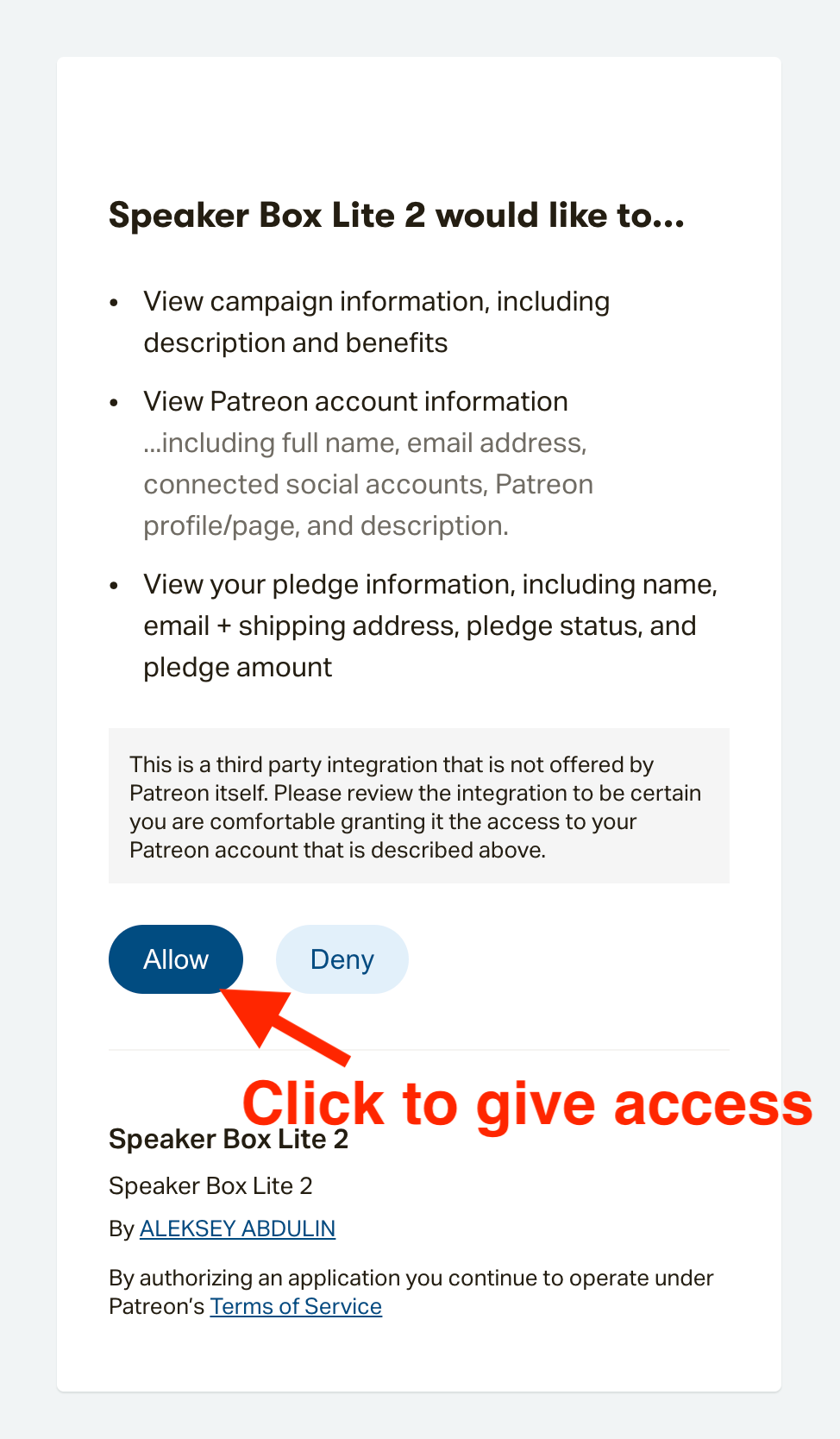
A screen will appear asking you to grant Speaker Box Lite access to your Patreon page, as shown in the second screenshot. Click Allow to grant access.
6. Redirect Back to Speaker Box Lite
Afterward, you will be redirected back to the main Speaker Box Lite page.
7. Check Connection Status
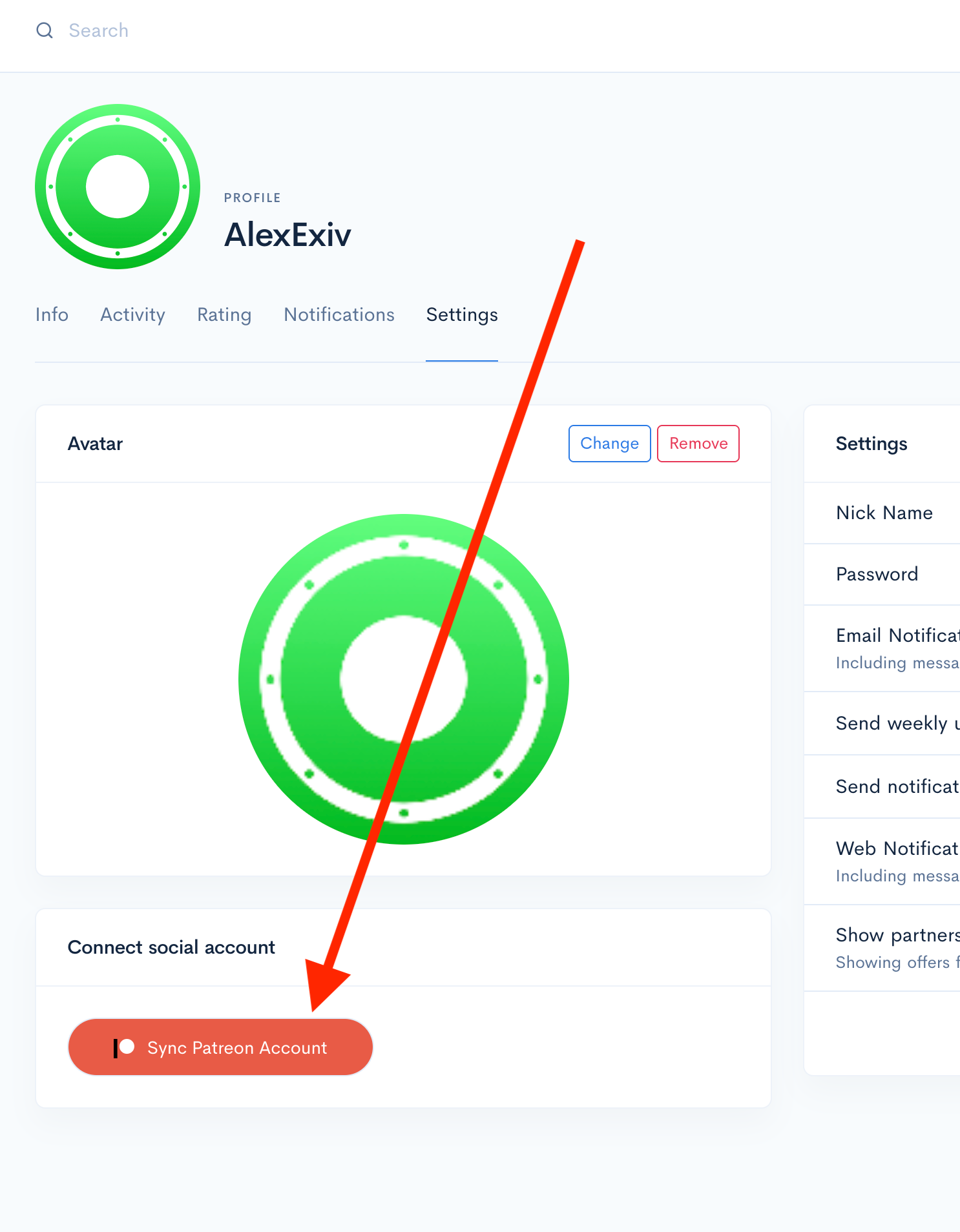
Return to your Profile page to check the status. The Patreon Account button should now change to Sync Patreon Account, as shown in the third screenshot.
8. Sync Your PRO Access
Normally, our server automatically syncs your purchases and grants full access.
If this does not happen, click the Sync Patreon Account button to manually initiate synchronization.
Thank you for your attention and support. Enjoy using Speaker Box Lite!